Why we built this
Most teams don’t actually need a 24/7 search cluster. They have a few hundred million rows of customer data, log archives, or scraped catalogs that they’d like to search occasionally — and pay roughly nothing the rest of the time.
With Elasticsearch or OpenSearch, that means provisioning a JVM, sizing heap, picking shard counts, and watching your bill grow whether anyone’s querying or not. We thought there should be a much simpler shape for this problem: files on disk, indexes next to them, query when you want.
That’s what Flatseek is. 0.10 is the release where it
grows up — proper trigram indexing, fast wildcard search, range queries on numbers and dates,
aggregations on top of the same index, and now a real UI in front of it.
TL;DR. Flatseek 0.10 is a disk-first search engine you install with one command and run as a single Python process. Flatlens is the dashboard that ships with it — upload, search, aggregate, map, and manage indexes from the browser.
What’s new in Flatseek 0.10
Trigram + wildcard search
Substring queries like name:*joh* resolve through trigram blocks instead of scanning the corpus.
Typed columns
TEXT, KEYWORD, DATE, INT, FLOAT, BOOL, ARRAY, OBJECT — chosen at index time, not guessed at query time.
Range queries
Numeric and date ranges (age:[25 TO 35]) with the same syntax across all numeric types.
Aggregations
Terms, stats, cardinality, date-histogram — computed against the on-disk index without spinning up reducers.
Encrypted indexes
Per-index passphrases. Index files stay encrypted at rest; queries unlock with the key in-process only.
~40% smaller on disk
Block-compressed postings + dictionary-coded keywords. Same recall, less storage.
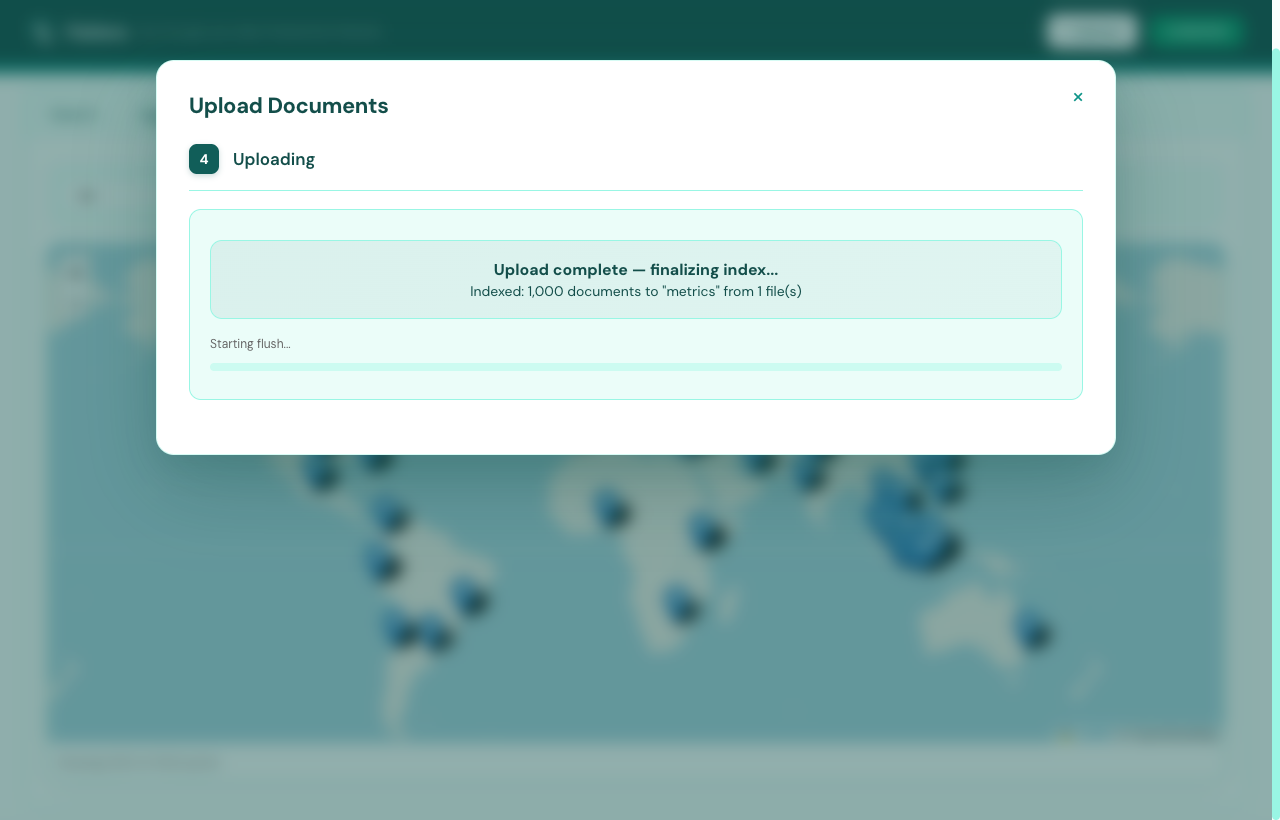
Indexing is incremental. You can append documents to an existing index without reindexing, and reads aren’t blocked while a write batch is still landing. Uploads run in the background — the dashboard polls and shows progress, you keep working.
What 1 million rows looks like
Numbers from a real run: 1,000,000 Solana transactions (128.4 MB CSV) on a single laptop, 8 worker processes splitting the file by byte range. Build wall-time was 4 minutes 42 seconds, with a final on-disk index at 341 MB across 7 typed columns.
| W | rows | state | encode | disk | mem | ckpt_r |
|---|---|---|---|---|---|---|
| ✓ 0 | 126,754 | flush | 21.2s | 2.7s | 43MB | 99% |
| ✓ 1 | 124,757 | flush | 21.1s | 3.0s | 43MB | 99% |
| ✓ 2 | 124,742 | flush | 20.8s | 2.8s | 44MB | 99% |
| ✓ 3 | 124,757 | flush | 21.0s | 3.5s | 44MB | 99% |
| ✓ 4 | 124,759 | flush | 21.4s | 3.1s | 44MB | 99% |
| ✓ 5 | 124,750 | flush | 21.3s | 3.3s | 44MB | 99% |
| ✓ 6 | 124,733 | flush | 20.8s | 3.0s | 44MB | 99% |
| ✓ 7 | 124,748 | flush | 21.9s | 3.2s | 46MB | 99% |
All three panes are real output, not mockups. The numeric column types
mean range queries don’t scan documents — they walk a sorted block
index. Aggregations on KEYWORD and ARRAY
fields hit a value dictionary instead of materializing rows.
Introducing Flatlens
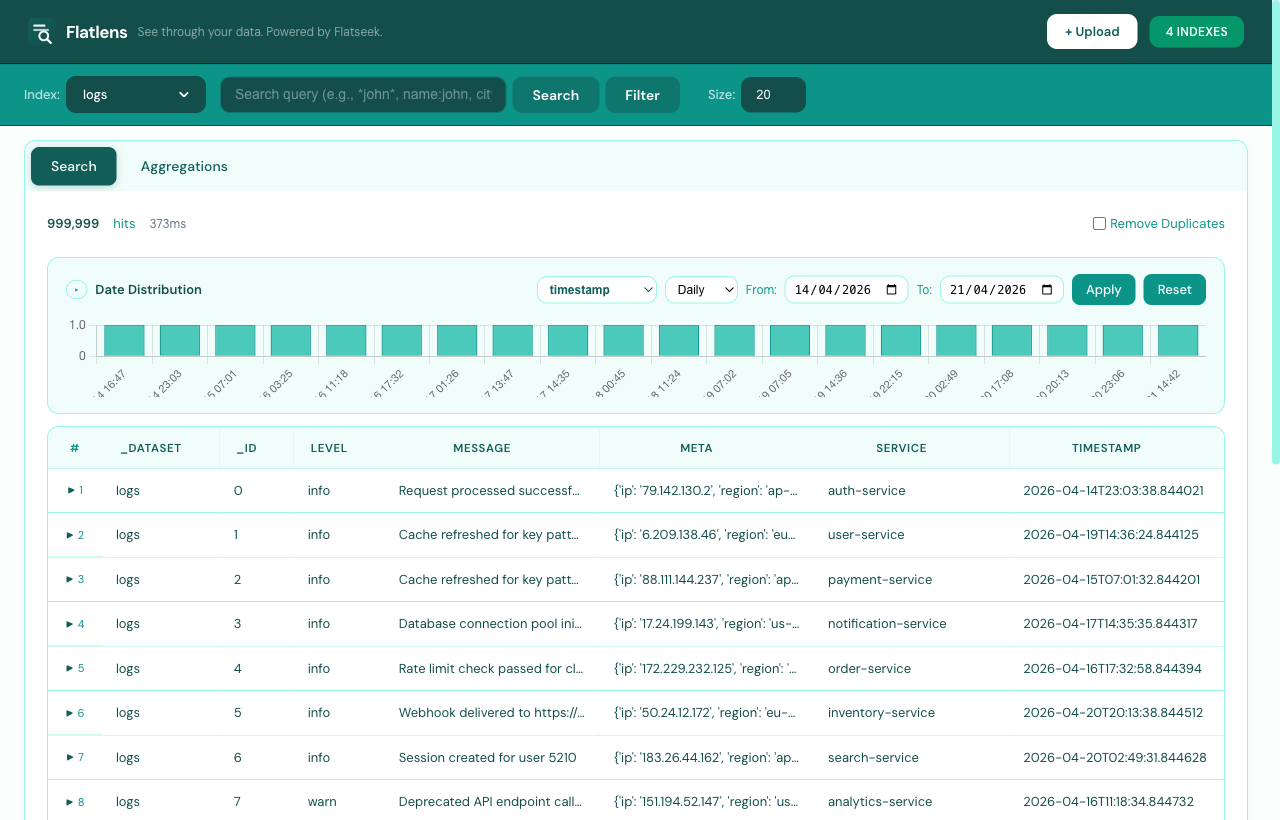
Flatlens is the dashboard. If you’ve used Kibana, the shape is familiar: a left sidebar for navigation, a topbar to pick the index and write your query, and tabs for the things you actually want to do — search, aggregate, plot on a map, or manage indexes.
Search syntax, in full
The query language is field-scoped and familiar. Everything below comes straight from the engine’s test suite — these aren’t aspirational examples, they’re the assertions that have to pass before a release goes out.
KEYWORD, free-text on TEXT. city:Jakarta, status:active, name:Alice.name:Alice*), suffix (name:*Putri), or substring (city:*arta*). Powered by trigram blocks, not a corpus scan.balance:[1000000 TO 3000000], created_at:[20260101 TO 20260131].balance:>1000000, score:>=88, level:<=10. Bare form (balance>1000000) also works.true/false, yes/no, 1/0. enabled:true, enabled:false.tags:graphql matches any document where any tag equals graphql.address.city:Jakarta, address.zip:10110, and arbitrarily deep — info.metadata.a.submetadata.deep:secret_a.info.metadata.a.tags[0]:alpha, info.metadata.b.items[1]:item_y.city:Jakarta AND (status:active OR status:pending), * AND NOT enabled:true.NOT for exclusions: * AND NOT city:Jakarta.Numeric and date queries don’t scan documents — they read a sorted block index. Free-text and wildcard queries route through the trigram store, so they cost the same shape as a literal lookup. Combining boolean operators just intersects or unions doc-id postings, which is fast even when both sides are large.
What the dashboard adds on top
The query language is the same in the CLI, the REST API, and the dashboard. What Flatlens layers on it:
- Per-cell filter chips. Hover any cell, click the magnifier, the value becomes a filter — no syntax to memorise.
- Filter builder popup. Compose the query visually — pick field, operator, value, and watch the resulting query string update live.
- Date distribution chart. Auto-detected on date fields, switchable hourly/daily, with brushable date range filtering.
- Expandable rows. Click any row to see the raw document with JSON syntax highlighting and a one-click copy button.
- Hideable columns + saved selections. One-click hide; columns show up as restorable chips. Selection persists per index.
- URL-shareable state. Query, filters, page, aggregation settings — all live in the URL. Send a teammate the link, they see the same view.
Aggregations
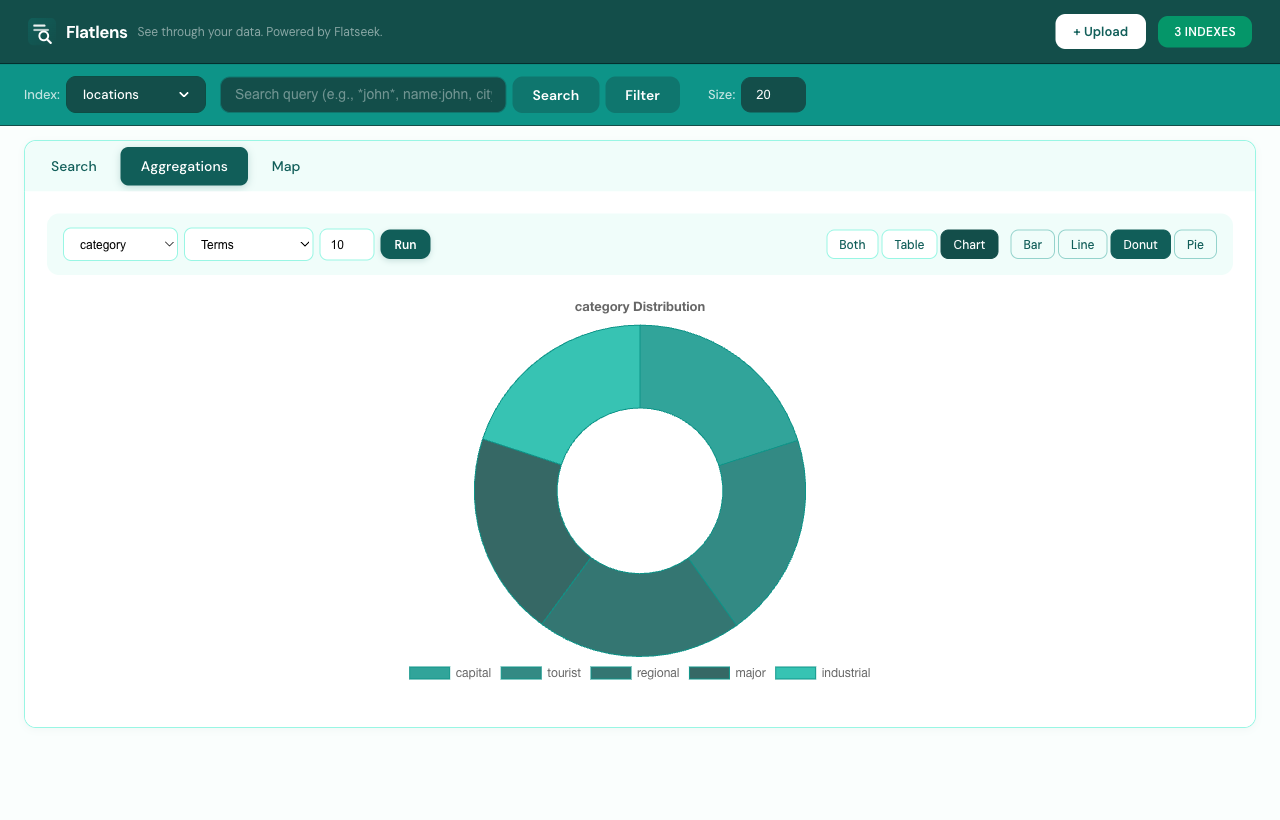
Aggregations run on the same on-disk index as search. The supported types cover the 90% case for analytics-style queries:
KEYWORD and ARRAY; size cap configurable. Useful for facets and breakdowns.{"stats": {"field": "score"}}.stats bundle. Faster on hot paths.hour, day, week, month). Auto-trims empty leading/trailing buckets so charts don’t show zero-padded edges.Aggregations always accept a query filter — meaning you can do “average fee per program for transactions over 1M lamports in February” in one request, no two-stage pipeline. The dashboard wires search filters and aggregations together automatically: any tag chip you add on the Search tab carries over when you switch to Aggregations.
Upload flow that doesn’t fight you
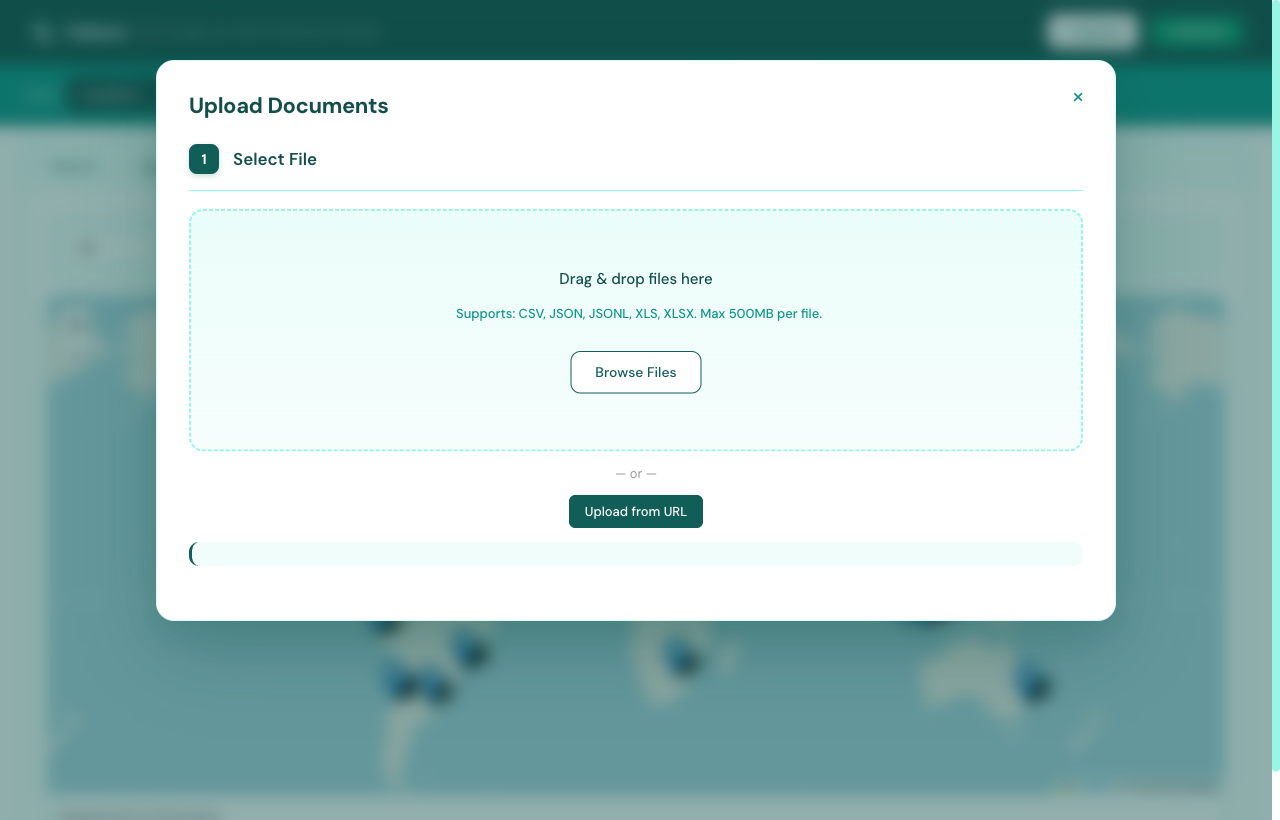
Most search tools assume the data is already there. Flatlens treats ingestion as a real surface. Drop a CSV, JSON, JSONL, or XLSX file (or paste a URL) and you get a four-step wizard with sensible defaults at each step:
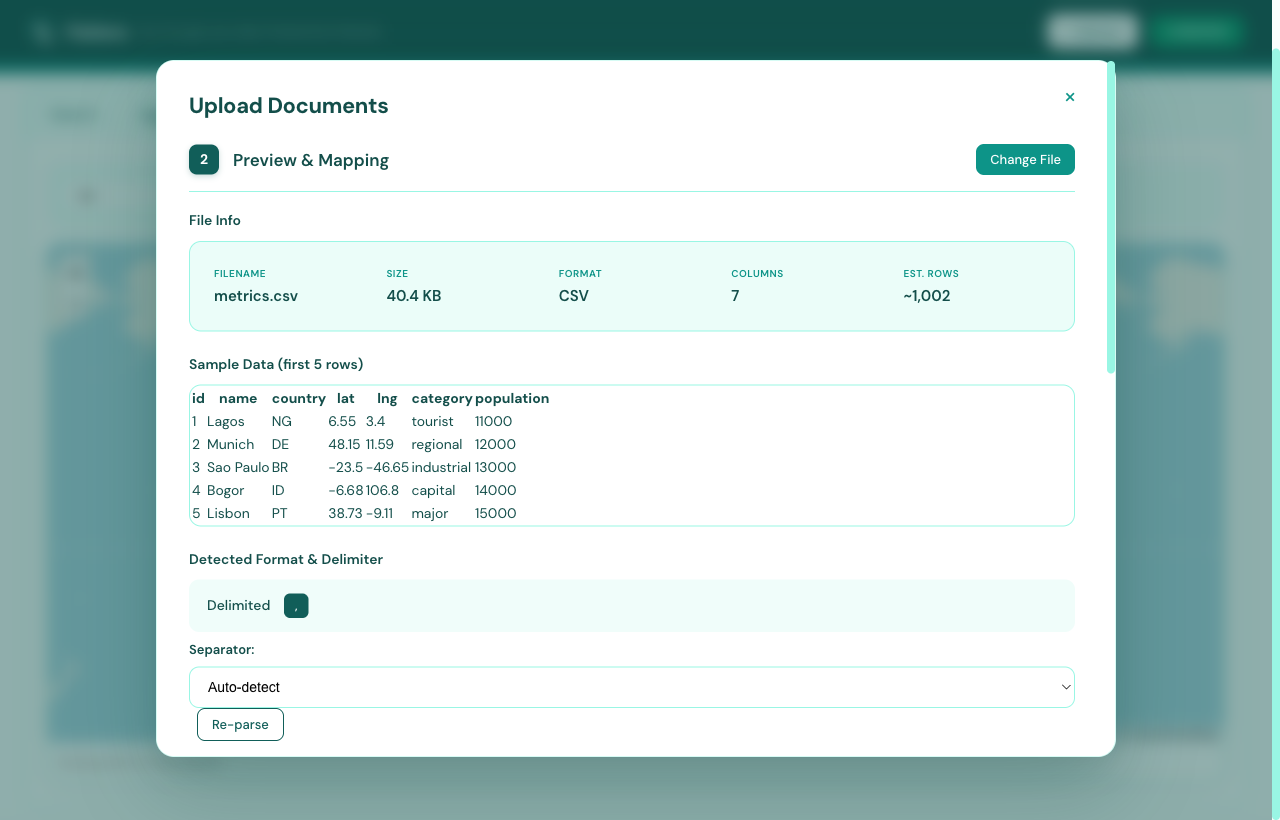
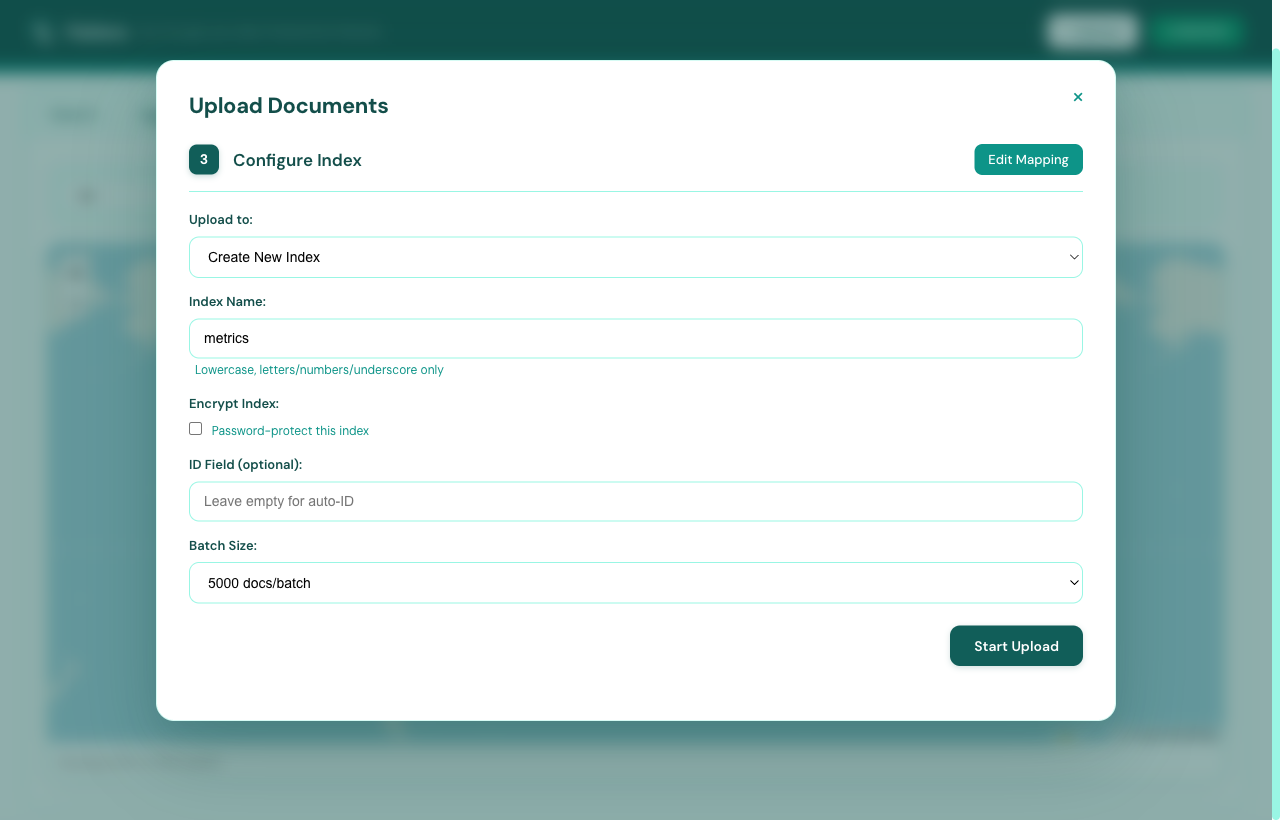
The mapping step matters most. Flatlens auto-detects column types from
samples — emails, phones, dates, numbers, booleans, and now arrays and
objects too. You can rename fields on the way in (insertAs),
exclude noisy columns, edit headers as a JSON array, and re-use mapping
history from previous uploads. Nothing forces you to commit before you
see what it looks like.
About arrays and objects. 0.10 stores them
natively. Aggregations on an ARRAY field treat each
element as a term. OBJECT fields expand to dot-paths
in the table view (address.city, address.zip),
so you query the leaves directly without flattening upstream.
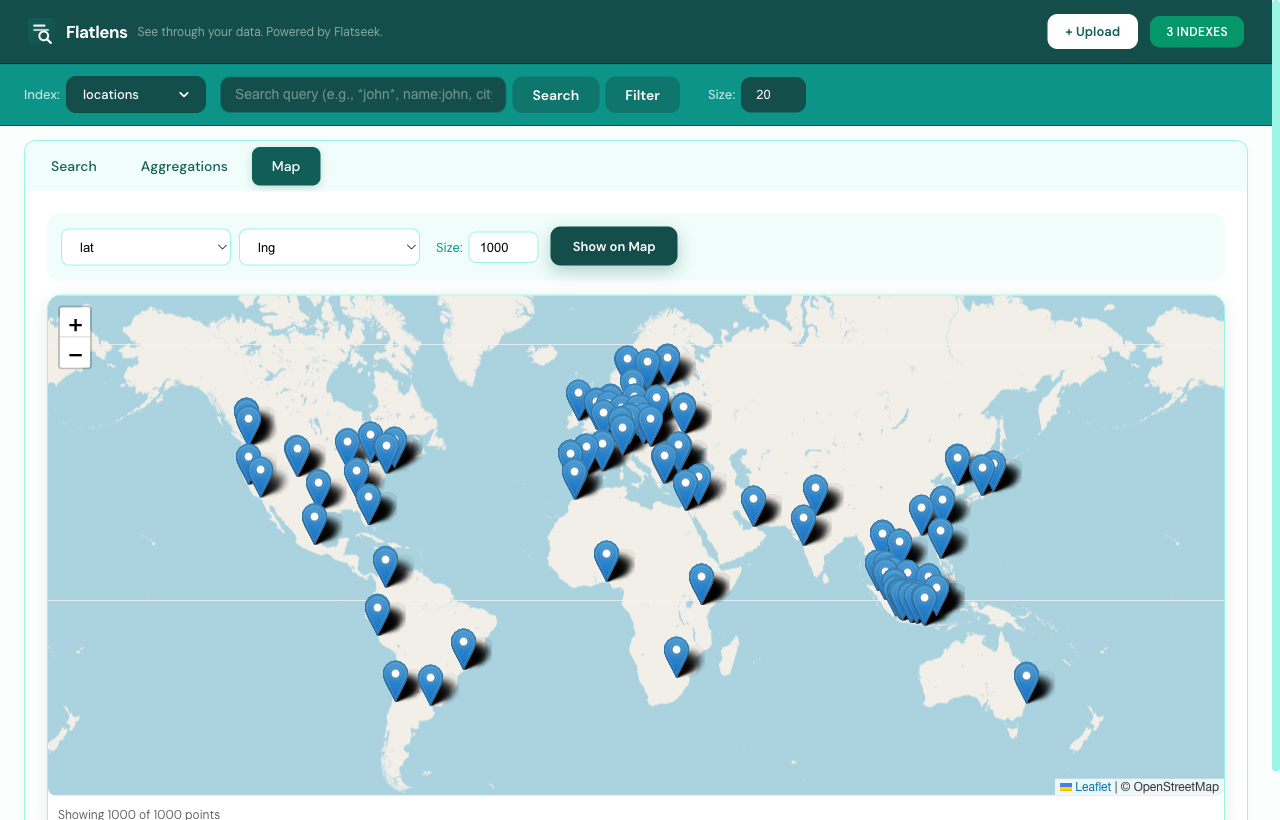
Map view for geo data
Pick a latitude field, a longitude field, and a sample size. Flatlens
renders the matching documents on a Leaflet map with auto-fit
bounds. Combined lat,lng string fields work too — handy
when your source already encodes coordinates as one column.
Indexes management
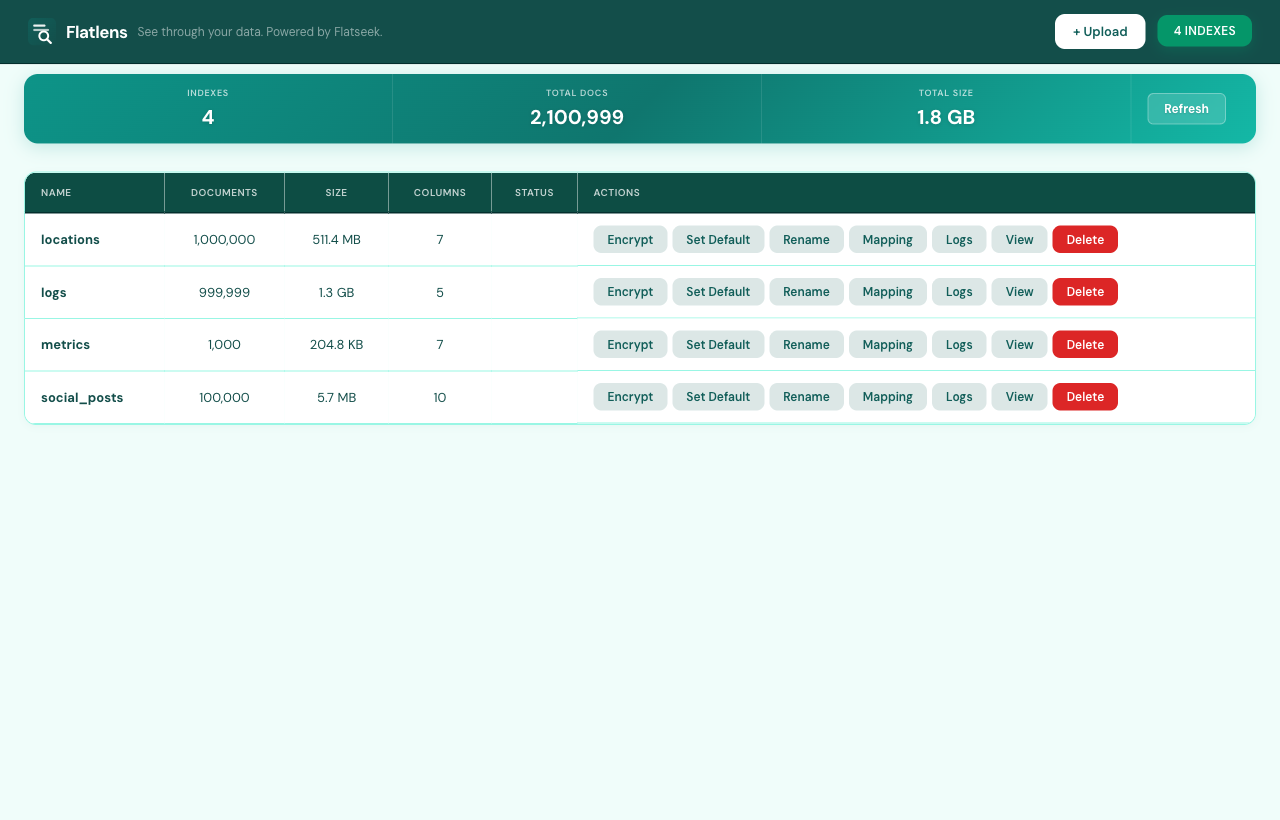
The Indexes tab is the cluster page if you’d had a cluster. It lists every index with document count, size on disk, column count, and current status (idle, indexing, encrypted). Per-index actions cover what you’d expect: rename, encrypt or decrypt, view the mapping, tail the indexing log, and delete.
Quick start
One command installs the engine, the dashboard, and the CLI. macOS, Linux, Python 3.11+:
$ curl -fsSL flatseek.io/install.sh | sh
$ flatseek serve            # API on :8000
$ flatseek dash             # Flatlens on :8080
Or, if you prefer Python packaging:
$ pip install flatseek
$ flatseek index create my-data --from data.csv
$ flatseek query my-data 'name:*joh* AND city:jakarta'
The same index works from the dashboard, the REST API, and the CLI — no separate connectors. If you want to see it without installing anything, the live demo at flatlens.demo.flatseek.io is loaded with a few public datasets.
What’s next
0.11 is already in motion. The shortlist:
- Saved searches and dashboards — pin a query, share a dashboard with a URL.
- Vector search — small-footprint ANN for the long tail of semantic queries, alongside trigrams.
- Streaming ingest — append-only writes via HTTP and Kafka source.
- Multi-tenancy primitives — per-API-key index visibility and rate limits.
We pick the next milestones based on what people actually run. If you’re using Flatseek (or thinking about it), the issues tracker is the right place to push us in a direction.